
CVD Live KJ Panel
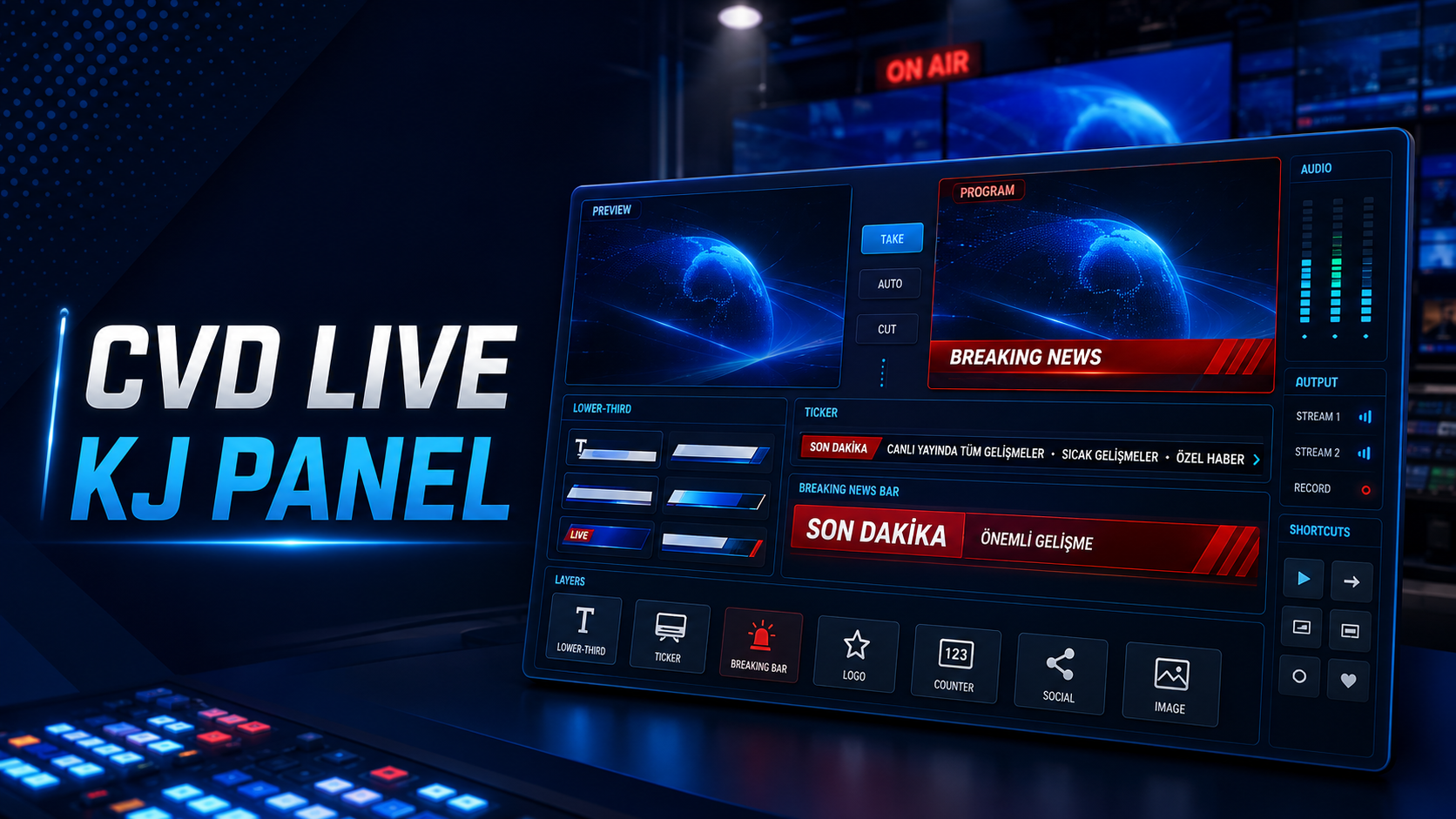
A web-based system for lower thirds, logos, tickers, breaking news, Preview/Program and rundown management for YouTube live streams, OBS and vMix.
Your license and secure download become available in your account after bank transfer approval.
Description
CVD Live KJ Panel is a browser-based broadcast graphics system for internet TV, local channels, digital studios and live production teams. Prepare lower thirds, logos, tickers, breaking news and YouTube sources in one panel, check them in Preview and then take them to Program.
It provides transparent browser-source output for OBS and vMix, with a video library, automatic playlists, broadcast profiles, lower-third rundowns, XML/JSON/URL import, timecode, templates, user roles and activity history. It runs on standard PHP/MySQL hosting and can be managed from desktop and mobile devices.
Each installation is verified by domain and device through CVD's online licensing service. A signed 72-hour offline grace period is available during connection interruptions.
Release notes
Broadcast layers, Preview/Program workflow, OBS/vMix output, playlists, lower-third rundowns, templates, user roles, security hardening and CVD online licensing.
Package features
| Preview / Program | Preview safely before going live |
| OBS / vMix | Transparent 1920×1080 browser-source output |
| KJ / Lower-third | Titles, subtitles, images and animations |
| Ticker | Scrolling or static captions |
| Breaking news | Breaking-news banners with timed or indefinite display |
| Video library | YouTube source and playlist management |
| Automatic transitions | Switch to the next source when a video ends |
| Lower-third rundown | Bulk entry, timecode and XML, JSON and URL import |
| Design editor | Lower-third and breaking-news templates |
| User roles | Administrator, production and editor permissions |
| Audit log | Broadcast activity history |
| Split screen | Split the screen into 2, 3, 4 or 5 sections for broadcasting |
| Add guests | Add up to 3 guests simultaneously and bring them on air |
| Add videos | Add your own videos and play them during live broadcasts. |
| Mobile-friendly | Connect guests to live broadcasts from phones or tablets. |
Frequently asked questions
Can I try a demo?
Request a demo; once approved, your time-limited demo license will appear in your account.
Which broadcasting applications are supported?
Use it as a Browser Source in OBS Studio and vMix. Transparent overlay output is designed for 1920×1080 broadcasts.
What is required for installation?
Hosting or a local server with PHP 8.1 or later, MySQL/MariaDB and HTTPS is required.
How many installations does one license allow?
The activation limit is set in the CVD license panel according to the purchased plan.
Is installation support available?
Hosting installation, license configuration and initial OBS/vMix browser-source setup may be included in the support package.